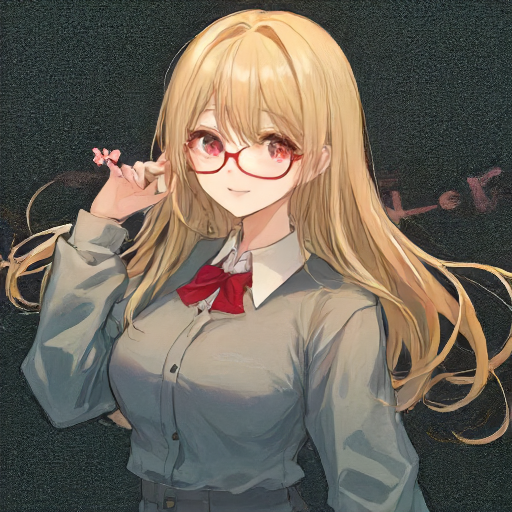
StreamDiffusion を Google Colab で動かしてみる
画像生成の StreamDiffusion を Google Colab で動かして画像を生成してみます。
StreamDiffusion を Google Colab で動かしてみる
画像生成の StreamDiffusion を Google Colab で動かして画像を生成してみます。
StreamDiffusionとは
リアルタイムで画像生成ができるまで高速されたものです。
Google Colabで実践
実際にGoogle Colabで試してみます。
前準備
前準備としてまずはランタイムをGPUにしてください。
メニュー -> ランタイム -> ランタイムのタイプを変更 -> T4 GPU -> 保存
インストール
StreamDiffusion をインストールします。
# huggingface_hub バグの対応
!pip install -U huggingface_hub

# PyTorchとxformersのインストール
!pip install torch==2.1.0 torchvision==0.16.0 xformers --index-url https://download.pytorch.org/whl/cu121

# パッケージのインストール
!git clone https://github.com/cumulo-autumn/StreamDiffusion.git
%cd StreamDiffusion
# タグ指定でバージョン固定化
!git checkout tags/v0.1.1
!python setup.py develop easy_install streamdiffusion[tensorrt]
!python -m streamdiffusion.tools.install-tensorrt
セッションを再起動する
メニュー -> ランタイム -> セッションを再起動する
作業ディレクトリへ移動
作業ディレクトリへ移動します。
# セッションを再起動してから戻る
%cd StreamDiffusion
ストリームの準備
画像生成ストリームを作成します。
from utils.wrapper import StreamDiffusionWrapper

# ストリームの生成
stream = StreamDiffusionWrapper(
    # 使用するモデルのIDまたはパス
    model_id_or_path="KBlueLeaf/kohaku-v2.1",
    lora_dict=None,
    t_index_list=[0, 16, 32, 45],
    # 画像生成枚数
    frame_buffer_size=3,
    # 生成する画像の横幅
    width=512,
    # 生成する画像の縦幅
    height=512,
    warmup=10,
    acceleration="xformers",
    mode="txt2img",
    use_denoising_batch=False,
    cfg_type="none",
    seed=2,
)
画像生成
from datetime import datetime
from IPython.display import Image, display
from google.colab import files
import os

# プロンプト
prompt = "1girl with blond hair, thick glasses, smiling, red eyes, cute"
# ネガティブプロンプト
negative_prompt = "bad anatomy,long_neck,long_body,longbody,deformed mutated disfigured,missing arms,extra_arms,mutated hands,extra_legs,bad hands,poorly_drawn_hands,malformed_hands,missing_limb,floating_limbs,disconnected_limbs,extra_fingers,bad fingers,liquid fingers,poorly drawn fingers,missing fingers,extra digit,fewer digits,ugly face,deformed eyes,partial face,partial head,bad face,inaccurate limb,cropped"
# ストリームの準備
stream.prepare(
    prompt=prompt,
    negative_prompt=negative_prompt,
    num_inference_steps=50,
)

# ストリームの実行
output_images = stream()

for i, output_image in enumerate(output_images):
    # 現在の日時を取得
    now = datetime.now()
    # ファイル名に日時を組み込む
    filename = now.strftime(f"images/outputs/%Y%m%d%H%M%S_{i:03}.png")
    output_image.save(filename)

    # 画像をプレビュー表示
    display(Image(filename))

    # 自動ダウンロードリンクを生成
    files.download(filename)
生成結果
512x512の画像を3枚生成するのに2秒!
10枚生成しましたがこれで6秒という速さ!