# 【Elixir】 Phoenix で LiveView を使ってみる
> LiveViewを使ってバックエンドだけでリッチなフロントエンドを作成してみます。
- Canonical: https://c-a-p-engineer.github.io/elixir-phoenix-liveview/
- Published: 2022-12-26T17:40:00.000Z
- Modified: 2022-12-26T17:40:00.000Z
- Categories: Elixir
- Tags: Elixir, Phoenix
今回はLiveViewを使ってバックエンドだけでリッチなフロントエンドを作成してみます。
Phoenix.LiveView — Phoenix LiveView v0.17.5
## 環境
* Elixir 1.14.2
* Phoenix 1.6.3
* LiveView 0.17.5
## サンプル
こちらの参考ページを元に進めていきます。
Phoenix LiveView Basics :: Phoenix Beginner's Guide
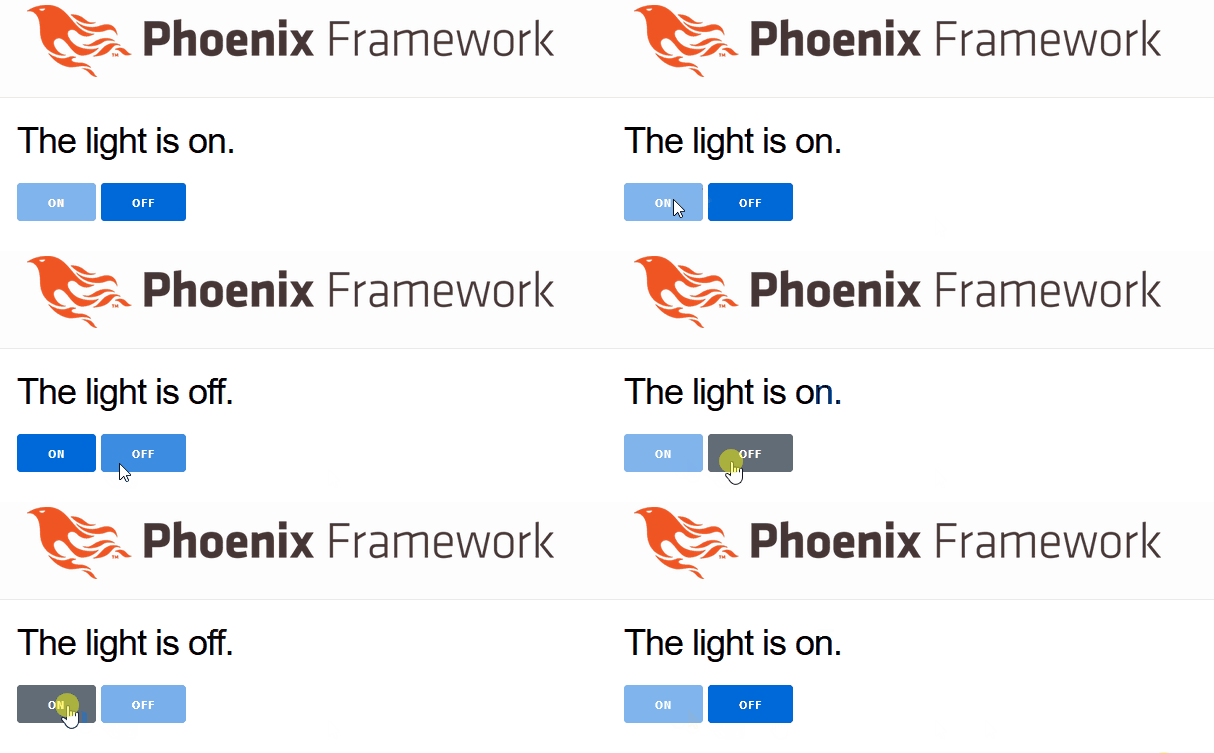
ON/OFFボタンを作成します。
### phoenixプロジェクト作成
DB不要のため `--no-ecto` を付けます。
```
mix phx.new demo --no-ecto
```
### LiveViewの処理を実装
```src/lib/demo_web/live/light_live.ex
defmodule DemoWeb.LightLive do
use DemoWeb, :live_view
# 初期接続
def mount(_params, _session, socket) do
socket =
socket
|> assign(:light_bulb_status, "off")
|> assign(:on_button_status, "")
|> assign(:off_button_status, "disabled")
{:ok, socket}
end
# 画面
def render(assigns) do
~L"""
The light is <%= @light_bulb_status %>.
"""
end
# Onボタンの処理
def handle_event("on", _value, socket) do
socket =
socket
|> assign(:light_bulb_status, "on")
|> assign(:on_button_status, "disabled")
|> assign(:off_button_status, "")
{:noreply, socket}
end
# Offボタンの処理
def handle_event("off", _value, socket) do
socket =
socket
|> assign(:light_bulb_status, "off")
|> assign(:on_button_status, "")
|> assign(:off_button_status, "disabled")
{:noreply, socket}
end
end
```
### Routerへの追加
```/lib/demo_web/router.ex
scope "/", DemoWeb do
pipe_through(:browser)
get("/", PageController, :index)
# /light のパスを追加
live("/light", LightLive)
end
```
### 確認
Phoenixサーバーを起動します。
```
mix phx.server
```
起動後に http://localhost:4000/light に接続すると画面が出てきます。
## 参考
* Phoenix LiveView Basics :: Phoenix Beginner's Guide