【Elixir】Phoenix LiveView でJSを書かずにアニメーションなどを実装する
Elixir の Phoenix LiveView でJSを書かずにアニメーションなどを実装する方法
【Elixir】Phoenix LiveView でJSを書かずにアニメーションなどを実装する方法
Elixir の Phoenix LiveView でJSを書かずにアニメーションなどを実装する方法。 折角 LiveView を使っているのに一々画面項目の表示/非表示などの簡単なJSを一々書きたくないなって考えたら実装方法がありましたのでメモ。
環境
- Elixir 1.14.2
- Phoenix 1.6.3
実装
実際に実装してみます。
defmodule DemoWeb.DemoLive do
  use DemoWeb, :live_view

  alias Phoenix.LiveView.JS

  # 初期接続
  def mount(_params, _session, socket) do
    {:ok, socket}
  end

  # 画面
  def render(assigns) do
    ~L"""
    <p><%= submit "表示/非表示", type: "button", phx_click: JS.toggle(to: "#info", in: "fade-in-scale", out: "fade-out-scale") %></p>
    <p><%= submit "文字を小さくする", type: "button", phx_click: JS.set_attribute({"style", "font-size:1px"}, to: "#info") %></p>
    <p><%= submit "文字を大きくする", type: "button", phx_click: JS.set_attribute({"style", "font-size:100px"}, to: "#info") %></p>
    <p><%= submit "初期化", type: "button", phx_click: JS.remove_attribute("style", to: "#info") %></p>
    <div id="info">
      表示中
    </div>
    """
  end
end
ルーティングにサンプルを追加
  scope "/", DemoWeb do
    pipe_through(:browser)

    get("/", PageController, :index)

    # /demo のパスを追加
    live("/demo", DemoLive)
  end
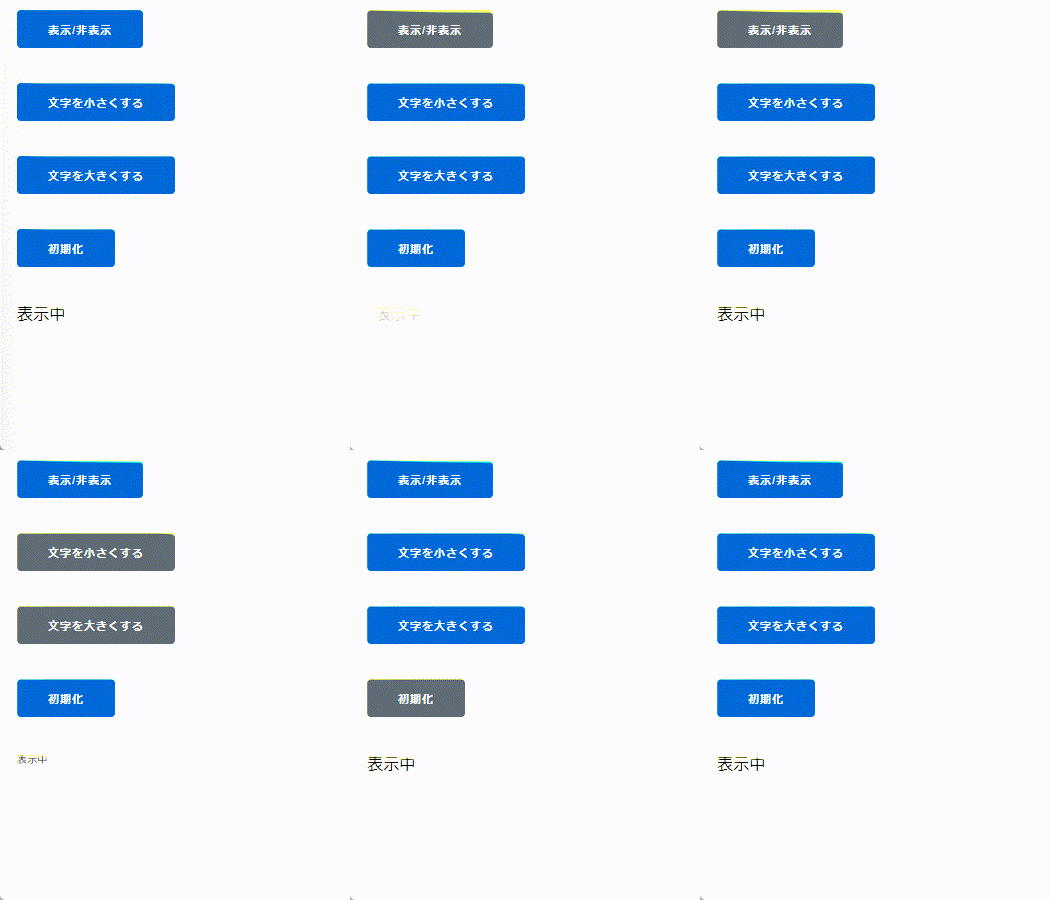
実装をした結果がこちらです。
JSは一切書かずに色々な動きを実装ができます。